In this article
A dense page can become easier to read when you give its ideas more room. A short outline, a labeled sketch or a few spoken notes can reveal the structure that was hard to see in the original layout. The aim is to create a working aid that belongs to the reader, while keeping a way back to the complete source.
A reading note is not a replacement document. It can leave material out because it serves a chosen task. What matters is making that selection visible, preserving the relationships the task needs and keeping unresolved questions separate from explanations. You do not need to reproduce the page to make useful notes about it.
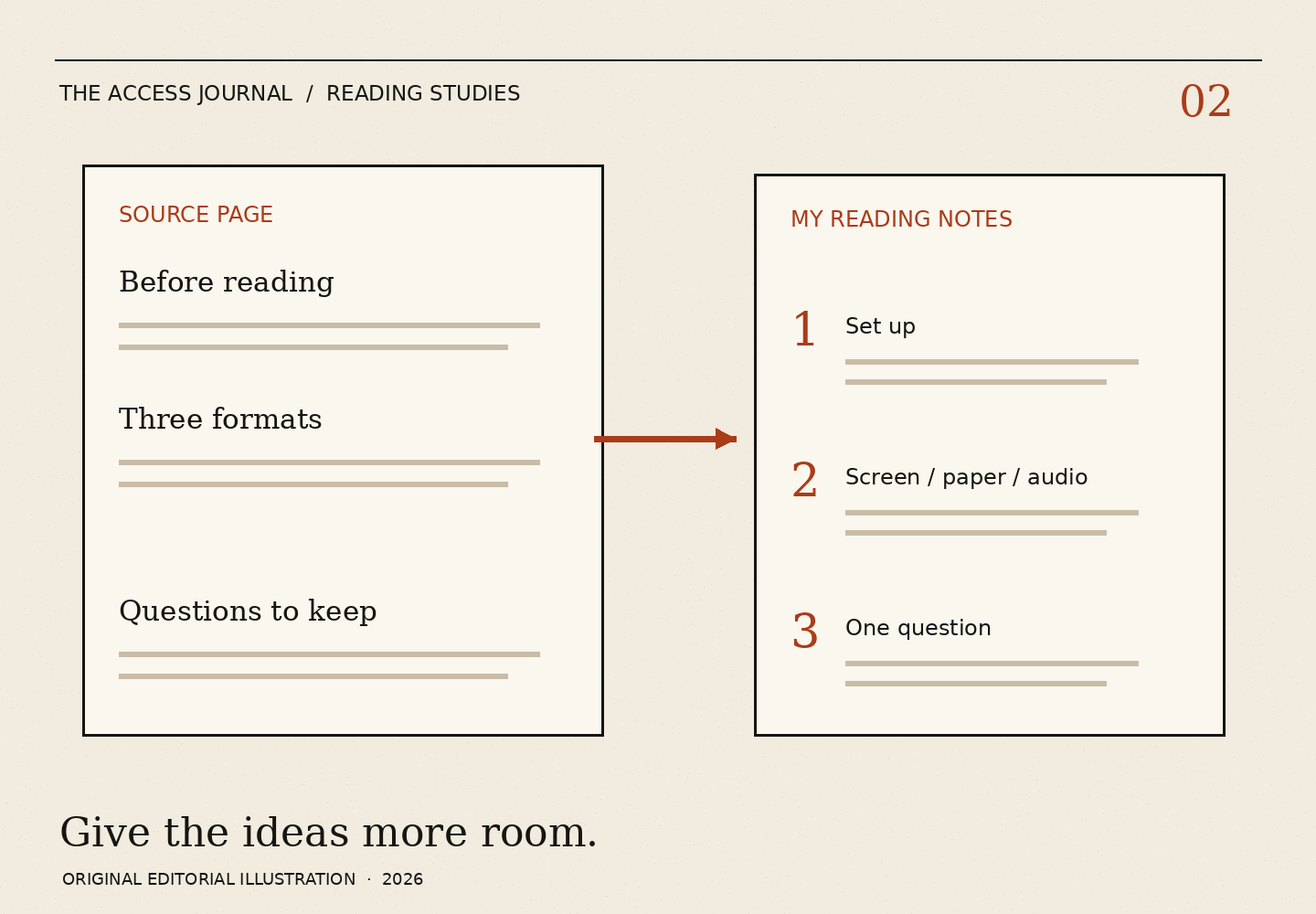
Start with the reader’s question Write one question at the top of the note before copying anything. It might be “Where does this guide explain the three reading formats?” or “Which label belongs to each row?” That question gives the note a purpose. Without it, note-making can become a second round of copying a page that was already difficult to use.
Digital.gov’s reader-centered writing guidance recommends attention to what an audience needs to know. Here, the audience is you. Use words and a structure that you can return to. The method is an editorial adaptation of that general idea, not an official rule for how adults should study.
If someone else is helping, tell them whether you want an outline, exact words or your spoken question written down. A helper’s polished summary may not serve the same purpose as a rough note in your own language. You get to choose which is useful.
Borrow the structure before borrowing the sentences Look for headings, subheadings, lists and labels. These are clues about how the author grouped the information. Copy a few short headings first and leave space beneath them. Do not assume that every large or bold line is a heading; check what follows it.
For an invented orientation handout, the visible groups are “Before reading,” “Three formats” and “Questions to keep.” A personal outline can begin with those three labels. Under “Three formats,” leave one line for screen, one for paper and one for listening. This is more useful for a format-comparison task than copying the opening paragraph word for word.
If the source has no clear structure, create your own headings and label them as personal. “My grouping: setup, reading, restart” tells a later reader that the organization is yours. It avoids making an invented heading look like a source section someone else should be able to find.
Preserve relationships when you change the layout A note can separate a crowded table into individual entries, but each entry needs its label. If a table has columns for format, useful action and thing to check, keep all three attached. Writing only the middle column may leave you with a list whose meaning you cannot reconstruct.
A fictional row might become: “Paper. Useful action: place two passages beside each other. Check: the printout includes the continuation.” This note is not a claim about a provider’s print service. It is a record of the sample handout’s relationship between a format, an action and a limitation.
Use arrows only if you know what they mean. An arrow can suggest sequence, cause or a simple connection. Add a word such as “then,” “refers to” or “compare with” if the distinction matters. A visually attractive note can still be ambiguous when the reader returns later.
Leave quotation and explanation in different places Sometimes an exact term is worth keeping because it is the term you need to find again. Put that term in quotation marks or label it “source word.” Put your explanation beside it rather than replacing it. If the explanation is tentative, say so.
You do not need to quote a whole paragraph to preserve the connection. A short phrase and a heading can be enough to locate the passage. Keep the complete source available separately, especially when your note omits examples or qualifications that may matter for another task.
If a helper suggests an explanation, ask whether it came from the text or from their own interpretation. Both can be useful when labeled. The note should not make a friendly explanation sound like a promise from the author of the document.
A fictional outline that becomes an audio script Cam wants to listen to an orientation handout while keeping control of the reading order. The original page has three narrow columns and a note along the bottom. A friend offers to read straight down the page, but Cam notices that this would separate each column label from its examples.
Together they make an outline with the title, three column labels and the bottom note. The friend reads one label, its examples and the relevant note before moving to the next label. Cam asks for a pause after each group. The outline changes the delivery while preserving the relationships needed for this task.
Cam adds one question beneath the second label. The friend does not fill in an answer from memory. At the end, Cam has a short listening script and a source locator for the unanswered point. No personal document has been uploaded, and the outline is clearly marked as a reading aid made for this session.
Check for two kinds of loss First, check whether an important source element disappeared. A heading, table label or footnote may carry more meaning than its size suggests. Compare the outline with the source and ask which elements are needed to answer the question at the top of the note.
Second, check whether the note added a relationship that the source did not show. A numbered list can imply an order. A box around two items can imply that they belong together. If you introduced either merely to save space, label the choice or change the design.
Digital.gov’s design guidance describes headings, lists and selective emphasis as tools for understanding. It also makes clear that presentation choices need care. A personal outline is useful when its design helps you inspect the material, not when it looks complete enough to hide what was left out.
Finish with a note you can actually use Read the note once without looking at the source. Can you tell what each label means and where the question belongs? Then return to the source and check the locator. This is a usability check of the note, not a memory test of the reader.
If the note is still crowded, remove material that does not serve the current question. If it is too sparse, add the missing label or relationship. The right length is the length that supports the task while remaining honest about its scope.
End with a short line such as “Personal reading outline; full source kept separately.” A note that announces its limits is easier to trust for its actual job. It gives you an entry point into the material, a way to ask a better question and the freedom to choose another format without starting from nothing.